Spin top slots, join live tables and bet sports in a slick, lightweight app.
Everything mirrors the website—cashier, promos, support and profile—streamlined
for one‑hand use and fast loads.
Below you’ll find the secure download, step‑by‑step APK install, updates and
practical tips for smooth, safe play.
The Malina Casino App puts the full lobby in your pocket—slots, live tables and sports—
with the same cashier and promotions as the site, optimized for thumb‑first control and
short load times. Here you’ll learn how to get started quickly and safely: where to
download the APK, how to install it correctly, which devices work best, how to set up
updates and notifications, and what to try if something freezes. Clear steps, checklists
and bite‑size tips help you keep playing without friction—on home Wi‑Fi or on the go.
About the Malina Casino App
Designed for straight‑to‑play sessions, the Malina Casino App mirrors the site’s lobby,
games and cashier, tuned for quick thumb navigation, fast loads and reliable performance
on mobile data. The layout stays calm and consistent—clear typography, predictable
controls and simple patterns (search → filter → play)—so features are exactly where you
expect them. Core actions—slots, live tables, sports, promos, balance and profile—are
never more than two taps away.
Functionality matches the website. Browse the same catalogue with identical filters
(provider, theme, features, volatility), switch categories instantly and access the same
account tools: deposits and withdrawals in the cashier, limits and notifications,
session management and full history. Shortcuts keep frequent tasks close by: “recently
played,” favourites and a compact layout for one‑hand use.
“Everything you can do on the website—just with fewer taps, less waiting and a
sharper focus on the game you want to play right now.”
Under the hood, speed is predictable. Essential UI elements pre‑load; heavier images and
animations stream in only when they appear on screen. That saves data and keeps the
experience smooth even on average connections. Visual quality adapts dynamically:
stronger connections serve higher resolution, while brief drops keep inputs responsive.
Your preferences save locally and sync to your profile. If you often play a certain
category or provider, they float to the top; switch to “compact” view and that option
sticks for future sessions. The app adapts to context too: on smaller displays it
enlarges tap targets and hides non‑essential controls; bigger screens receive extra
details like extended game info or live‑table stats.
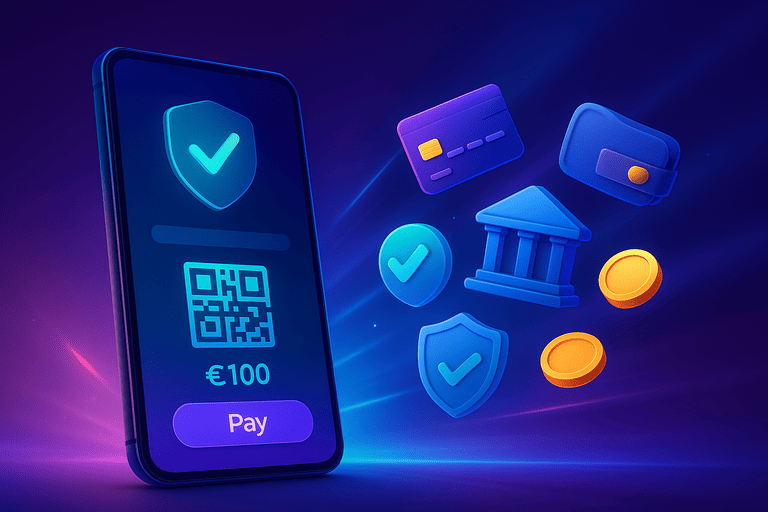
Security and control are built in. Before every transaction you’ll see a clear summary
(method, min/max, any wait times). Notifications warn when you approach a limit or need
to confirm. Session tools show where you’re signed in; one tap logs everything out.
Notifications are optional and granular—enable alerts for promos, balance or live
scores, or silence them completely—each toggle is visible and reversible.
Catalogue & navigation: search by name, provider or theme; filter by
features and volatility; favourites and “recently played”.
Gameplay: instant switching between slots, live tables and sports;
compact mode; clear table cards with stake ranges and basics.
Account & cashier: deposit/withdraw with a pre‑confirmation
summary; history with statuses; limits and alerts in one view.
The app opens in a compact lobby with bold tiles for the main sections.
A universal search bar lets you look up titles by name, provider, theme or a partial
match.
Filters stack logically—pick a category (e.g., slots or live), then refine by
volatility, features
(buy bonus, multipliers, re‑spins) or studio. Results update as you type—no page reloads.
Shortcuts stay close: Recently Played surfaces your last sessions, Favourites
keeps your go‑tos handy, and Trending highlights what’s hot today.
On smaller screens the nav scrolls horizontally; on larger ones you’ll see wide
overviews with
thumbnails and a compact summary per title (provider, features, minimum stake).
Games: slots, live tables and sports
The app uses the very same game library as the website. Slot tiles indicate special
rounds, multipliers or megaways at a glance. An info panel shows stake range and key
rules so you can decide without opening the full game. Live‑table tiles display
available limits and variants (roulette, blackjack, game shows) right on the card.
Switching game types is frictionless. A bottom bar is always within reach, so you can
jump between slots, live and sports in one tap. Sports shows live odds and quick markets;
your bet slip docks conveniently so selections persist while you browse leagues and
events. Buttons sit low for one‑hand reach and tap areas are generous.
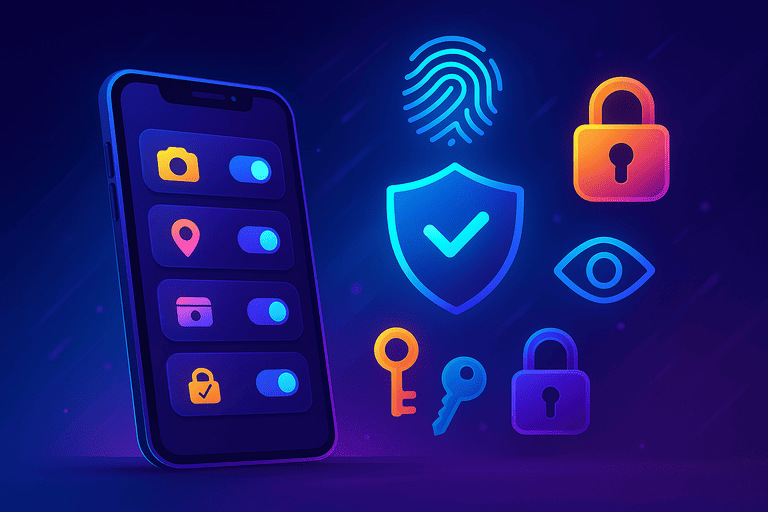
Notifications: only what matters to you
Notifications are optional and highly configurable. Choose subtle alerts for balance,
live‑match updates or promo reminders. For each topic, select push, silent or badge‑only.
If you turn them off, the app stays quiet—updates remain visible in your account and the
in‑app centre.
System settings are respected. If OS‑level push is disabled, the app won’t nag; instead
it shows a clear toggle with guidance to enable it in your device settings—so you stay in
control of frequency and content.
💡 Tip
Prefer no pop‑ups but still want reminders for promos or limits? Use silent
notifications. You’ll see a badge and an account card—no sound or vibration.
Privacy & sessions: full control
Under Privacy & Security you can see all active logins and close them with a
single tap.
Choose how long your session stays signed in on a device and add extra confirmation for
sensitive actions
(like changing a payment method). On shared devices, switch on a compact mode that shows
fewer account details.
Locally saved preferences (e.g., compact layout, favourite categories) are encrypted and
sync with your profile when you reconnect. Switching devices carries your settings over—
handy if you rotate between phone and tablet.
The Malina Casino App for Android is provided as an APK from the official website.
Install it directly on your device—no third‑party stores required. The whole process
usually takes a few minutes. Follow the steps below and watch for prompts from your
browser and device—they differ slightly by brand/Android version, but the sequence is
the same.
Step 1 – Download the APK
Open this page on your phone and start the APK download.
Your browser will show progress or confirm that the file is saved. Wait until the
download completes; keep the browser open so you can tap the prompt when Android asks
for confirmation.
To find the file later, check your Downloads folder or your file manager. The
filename ends in .apk. Tap it to launch the installer.
Step 2 – Allow installs from this source
From Android 8.0 onward, “unknown apps” permission is handled per source
(your browser or file manager). When opening the APK you’ll see “Allow from this
source” with a short explanation. Tap Allow and return to the installer.
On older Android versions, the switch may be under Settings → Security.
You only need to grant this once. You can disable it afterward if you prefer.
Step 3 – Confirm and let the install finish
The installer shows the app name and asks you to confirm. Tap
Install. Depending on your device this takes seconds to a minute. Stay on the
screen until you see App installed. Don’t interrupt; keep the display awake.
If you see a “protect against unknown apps” warning, choose Install anyway—you
are using the official site. If storage is low, free up space and repeat step 1.
Step 4 – Open Malina Casino and sign in
Tap Open after installation or use the new shortcut on your home screen. The
first launch may take a moment while core components prepare. Sign in with your email/
phone and password, or create an account if you’re new. You’ll land in the lobby with
slots, live tables and sports, plus instant access to cashier and promos.
⚠️ Important
Only install from the official Malina Casino website. Third‑party files may be
unsafe.
Keep “allow from this source” enabled only while installing; disable it later if
you wish.
Do not interrupt the process—wait for the explicit “App installed” message.
Quick troubleshooting checklist
APK won’t open: confirm the download completed and that you granted
permission for the source (browser/file manager).
Not enough storage: delete large photos/videos or cache and retry.
Security prompt: verify you’re installing from the official site
and choose Install anyway.
App won’t start after install: reboot your device and try again; if
needed, re‑download the APK and reinstall.
The Malina Casino App is lightweight and tuned for smooth performance on most modern
Android devices.
Actual load depends on your device and connection, but the guidelines below set clear
expectations. If your device doesn’t meet them, you can still play via the mobile
website—no install needed and fully responsive.
Section
Recommended for Malina Casino App
Android version
Android 5.0 or higher (newer OS versions improve power and network
handling)
Storage
Free space: a few dozen MB for app + cache (keep ~100 MB free for
updates)
Memory (RAM)
1 GB or more; with many background apps, 2 GB+ is more comfortable
Display
HD or higher; adaptive layout for compact/one‑hand use
Connection
Wi‑Fi / 4G / 5G; adaptive quality for streams and live data
Permissions
Allow install from this source; notifications optional and
per‑feature
Compatibility & tested brands
Tested on major lines including Samsung Galaxy, Google Pixel, OnePlus,
Xiaomi/Redmi/Poco,
Motorola and recent Huawei models (without Google services, the built‑in browser may be
more stable).
On devices with aggressive OEM skins (MIUI, ColorOS, EMUI etc.), power saving can mute
notifications or background updates; exclude the app from strict battery optimization
and allow background data if needed.
Performance tips for a smoother ride
Keep storage tidy: free up space regularly; clear old downloads and
heavy cache files.
Battery settings: turn off battery saver during long sessions; let
the app refresh data in the background.
Stable network: for live tables and sports, stability beats raw
speed; switch to Wi‑Fi if 4G/5G is erratic.
Animations & display: use compact mode for fewer animations and
quicker controls.
If it stutters: close heavy apps; reboot if memory pressure stays
high.
💡 Tip
Not seeing alerts even though they’re enabled? Check OS permissions as well:
Settings → Apps → Malina Casino → Notifications and
Battery → No restrictions.
On some skins you must change both.
On iPhone and iPad, use Malina Casino via the mobile website. The responsive layout
offers the same catalogue, cashier and account tools as desktop, tailored for touch.
There’s nothing to install or update: open the site in Safari and start playing. Pages
and assets are cached to speed up your next visit.
Quick start: add Malina Casino to your Home Screen
Want an app‑like experience? Create a Home Screen shortcut. Malina Casino then opens in
a standalone window without the busy browser chrome, taking you straight to your lobby,
favourites and cashier.
Open Malina Casino in Safari on your iPhone or iPad.
Tap the share icon (square with arrow) in the toolbar or address bar.
Choose Add to Home Screen.
Optionally rename it, then tap Add.
A shortcut icon now appears on your Home Screen. Launch Malina Casino from it to enjoy a
clean, full‑screen view and fast startup.
💡 Tip
Shortcuts open where you left off. Enable “Stay signed in” on your own device for a
flying start and allow Safari Background App Refresh so content can prep in
the background.
What you do and don’t get on iOS
Full feature set: lobby, slots, live, sports, cashier, promos and
support.
Automatic updates: you always load the latest site—no manual
updates.
Saved data: favourites and preferences sync with your account
across devices.
Push notifications: limited in browsers; use badges/cards in your
account for quiet reminders.
Standalone view: “Add to Home Screen” gives you a distraction‑free
window.
iOS performance & battery
The site adapts media quality and animations to your device and network. For longer
sessions, Wi‑Fi is typically steadier than mobile data. Disable Low Power Mode if Safari
is too aggressive with tab sleep to keep live info current while switching.
Common iOS scenarios
Private browsing: Safari’s private mode restricts cookies/local
storage; log in again and prefer a regular tab if you want sessions remembered.
Pop‑up blocking: some payment windows use a new tab; allow pop‑ups
for a smooth cashier flow.
Audio/video: live streams may require one tap to enable sound; after
that, audio stays active during the session.
⚠️ Note
Avoid “unofficial” apps pretending to be Malina Casino. On iOS, use the mobile site
only and add a shortcut if desired.
On launch, the Malina Casino App checks for a newer version. Small patches replace only
what’s needed so you can continue almost instantly. For major changes, the app prompts
you to download the latest APK and complete a short install. This keeps performance,
security and Android compatibility current.
How updates work day to day
When you open the app, a quick check compares your version to the current release.
If you see “Update available,” tap Update and follow the same steps as the
first install: download APK, allow install from this source (if asked) and confirm.
Your settings, favourites and history are preserved—they’re tied to your account.
For minor fixes you’ll just notice a brief “checking for updates” indicator at launch.
Files refresh in the background and you can jump straight back to the lobby or your last
visited section.
When a reinstall is smarter
Sometimes a clean install is faster than updating—e.g., if the device missed several
releases, an install was interrupted, or cache grew large after heavy use. Remove the
app, download the latest APK and reinstall. Sign back in and your data/preferences sync
from your account.
Checklist for smooth updates
Stable connection: use Wi‑Fi so the APK downloads quickly.
Free space: keep ~100 MB available for the file + temporary cache.
Screen on: don’t let the device sleep until “App installed”
appears.
Allow source: since Android 8.0, permission is per source
(browser/file manager). Set once and you’re done.
Optional reboot: on heavier skins (MIUI/ColorOS), a quick restart
can clear residual errors.
💡 Tip
Don’t see an update prompt but think a new build is out? Download the APK from the
official page and install over your current app. No need to uninstall first—Android
updates safely in place.
Common update situations
“Installation blocked”: open the prompt and choose Allow from
this source, then return and confirm.
“Not enough storage”: clear downloads and browser/app cache, then
try again.
APK won’t open: delete the partial file and re‑download to ensure a
complete package.
App stalls after update: close recent apps, reboot the device and
reopen Malina Casino.
Broken download: remove the partial file in Downloads and
fetch it again from the official page.
Updates bring more than bug fixes: snappier carousels, leaner data use for streams,
improved haptics and clearer cashier/account status messages. Staying current is the
easiest way to enjoy the smoothest experience—especially if you switch often between
slots, live tables and sports.
Your account unlocks everything in the Malina Casino App—full game access, cashier,
promos and settings. Sign‑in and registration are intentionally brief and mirror the
website, with extra clarity for small screens.
Sign in: quick and secure
Open the app and tap Sign In. Enter your email or phone and your password.
On your own device you can stay signed in; on shared devices, leave this off. If you’re
on a new device or returning after a while, a short verification may be requested—this
protects your account without slowing you down.
Forgot your password? Start recovery from the same screen. You’ll receive a secure link
or code. Set a new password and continue. Under Privacy & Security you can
view active sessions and sign out everywhere in one tap.
Register: step by step
New here? Tap Register. Choose email or phone and complete the required fields.
The app guides you through contact details, basic profile info and—when you’re ready to
deposit or withdraw—the details needed for the cashier. Each screen explains why data is
requested and how to edit it later.
After submitting, you’ll receive confirmation by email or SMS. Activate your account via
the link or code and return to the app. You’ll land in the lobby with handy shortcuts to
Recently Played, Favourites and Promotions. From your
profile, adjust notifications, preferences and language without detours.
Verification (KYC): when and why
For some actions (e.g., first withdrawal or using a new device), the app may request
additional verification. This is a routine security step to protect your account and
ensure smooth payments. Usually, a clear photo of a valid ID is enough; sometimes an
address or payment‑method check is needed.
The app shows exactly what’s missing and whether your upload meets requirements.
Photos are checked locally for readability before submission. Once verified, your status
updates in profile and you continue without extra steps.
💡 Didn’t receive a code or email?
Confirm the address/number and check your Junk/Spam folder.
Request a new code and wait a few minutes—some carriers delay messages briefly.
Switch between mobile data and Wi‑Fi, then retry to bypass network filters.
Use one channel at a time (email or SMS) to avoid duplicate requests.
After signing in or registering, personalize your account: reorder categories, pick a
compact layout and manage favourites. These preferences sync to your profile so they’re
ready on any device.
In the Malina Casino App you’ll find the same promotions as on the website, neatly
grouped in your account. New players see the welcome package as a sequence of steps you
can activate one by one; returning players get weekly staples and personalized offers.
Each promo shows a short summary with duration, contribution per category and clear
conditions before activation—so expectations are transparent.
Activation is two‑step: set the promo to ready from the promotions list, then
confirm via the cashier or the eligible game type. Progress tracks live—the promo card
shows a counter, percentage and clear end time. When completed, it moves to
Completed with a brief result and date.
The app helps prevent mistakes. If a promo caps your max stake per round, a subtle
warning appears when you approach it. If some categories are excluded or contribute less,
you’ll see badges directly on those tiles. No need to memorize rules—the interface marks
it and suggests alternatives where relevant.
For weekly offers (e.g., reload boosts or free spins on a set day) you can enable a
reminder. Keep it silent if you prefer; a badge appears on Promotions and in the
cashier. If you miss it, the card shows the next available date automatically.
VIP rewards and loyalty points are visible in‑app. Track your current tier, the next
milestone and how points convert. Redeem in a tap; your history logs each exchange with
amount and date so you can choose between cashing out now or saving for later.
💡 Make more of your promos
Activate before you deposit or play: your wagers then count
immediately.
Check category contribution: play titles that contribute 100%
if you want to clear faster.
Watch end times: near‑expiry promos show a badge so you can
prioritize in a tap.
Respect max stake per round: stay within limits to keep the
promo valid; the app nudges you gently.
⚠️ Terms apply
Every promotion has its own rules (duration, wager contribution, excluded
categories, possible limits). Review the summary in‑app and confirm only when clear.
You can always preview a promo without activating it.
Manage deposits and withdrawals in the cashier. It’s structured for clarity:
choose Deposit or Withdraw, pick a method and complete the details.
Every transaction shows a pre‑confirmation summary (method, destination account/wallet,
amount, any limits or extra steps) so you can verify everything at a glance.
Deposits: get started fast
Select your payment method, enter the amount and follow your bank, card or wallet
prompts.
Real‑time methods confirm almost instantly; manual transfers can take longer. Your
balance updates as soon as it’s processed. Each transaction appears in history with
date, reference and status for full transparency.
Withdrawals: clear and predictable
Choose an available method and confirm the destination (account or wallet)—often the same
route you used to deposit where required. The app shows an expected timeframe and any
extra checks. Once submitted, the status is Pending, then changes to
Completed, or clearly indicates if more information is needed.
Limits & processing
Minimums and maximums depend on the method. Each option lists amounts and any period
limits. Processing times are indicative and may vary due to bank hours, network load or
additional verification. Track the latest status in your history; you’ll get a subtle
in‑app alert if something changes.
💡 Tips for smooth payments
Name match: ensure your account name matches your profile or a
withdrawal may pause for review.
Same route back: where required, withdrawals return via a
method previously used for deposits.
Use the exact reference: for manual transfers, copy the
reference exactly as shown.
Stable connection: confirm payments on Wi‑Fi if mobile data is
flaky to avoid time‑outs.
Common scenarios
Payment failed: your bank may require extra approval (app/SMS).
Restart the flow and confirm within the time window.
Avoid double‑submits: tap Confirm once; the app prevents
duplicates and shows live status.
Withdrawal under review: if verification is needed, your profile
shows exactly what to provide.
History unclear: open the transaction card for reference, method
and timeline; add a personal note if you like.
All available methods, per‑transaction limits and any extra conditions are summarized in
the cashier.
Choose what fits your style: instant and direct for smaller amounts, or traditional,
slower transfers for larger moves. Clear statuses and summaries keep you informed
without pop‑up clutter.
Malina Casino’s mobile catalogue matches the desktop library, refined for small screens
and speedy browsing. Search by title, provider, theme or feature and apply sticky filters
with a single tap. Each tile shows just enough info to choose without extra screens:
provider, feature badges and—where relevant—a short mechanics summary. Favourites
and Recently Played sit at the top so you can pick up exactly where you left off.
Slots: categories & features at a glance
The Slots section covers classics, megaways, jackpots and themed picks. Tiles
display badges for buy bonus, multipliers, wilds and re‑spins. Open a details card for a
brief explanation of paylines and bonus rounds plus a stake range indicator—decide if a
game fits your plan without launching it. Long‑press to compare titles side by side in a
compact summary.
Live casino: tables, variants and effortless switching
In Live you’ll find blackjack, roulette and diverse game shows. Table cards show
available stakes and core rules; stream quality auto‑adjusts to your connection. Leave a
table with a quick swipe and join the next—recent choices and favourites stay on top.
If a table is full, the app shows when seats open and suggests a similar alternative.
Jackpots & specials: clearly labelled
Jackpots have their own category with progressive or fixed badges.
Info cards explain prize structures and qualifying rounds. Specials (e.g., titles with
extra multipliers or unique bonus modes) carry a label on the tile so you can spot them
while scrolling. If a game has extra conditions, you’ll see a short hint before you
start—no guesswork needed.
Table games & game shows: concise and informative
Digital table games show the essentials right away: stake steps, any side bets and
condensed rules. Game shows have a panel explaining round structure and pacing. Enable
compact mode to reduce animations and bunch controls closer to your thumb—ideal
for travel or one‑hand play.
Sports: live odds and quick markets
The sports section presents live and pre‑match markets with league filters and quick
picks (popular bets, handicaps, totals). Odds refresh in real time; arrows highlight
changes before you confirm. The bet slip stays within reach so you can add/remove
selections without losing your place. Major events get a compact schedule with live
scores and a shortcut to specials.
Sorting: popular, new, A–Z, recently played, your ranking.
Comparison cards: long‑press a title → select more → view core info
side by side.
Favourites: tap the heart to pin titles—favourites stay at the top
of your lobby.
💡 Tip
Want to revisit a set of go‑to games faster? Combine a saved filter (e.g., provider +
feature) with Sort by Recently Played. The app remembers the combo and
floats recent titles to the top.
However you browse—search, categories or favourites—the UI stays steady and predictable.
Controls live in the same places and info cards follow one pattern. Fewer taps, less
time wasted, more focus on play.
Both the Malina Casino App and the mobile site deliver the same catalogue, cashier and
account tools. The difference is feel and convenience: the app is fastest and most
stable for frequent play, while the mobile site is perfect if you don’t want to install
anything or switch devices often. Compare common scenarios below.
Feature
Malina Casino App (Android)
Mobile site (Android & iOS)
Installation
One‑time APK download and confirm; launch via icon.
No install; open in browser or as a Home Screen shortcut.
Speed & stability
Very fast; UI and assets are reused locally.
Good; depends on browser and network conditions.
Notifications
Granular per feature; silent badges available.
More limited; mainly badges/cards in your account.
One‑hand design, larger tap targets, compact mode.
Touch‑friendly; follows browser patterns.
Offline assets
Key UI local for faster starts.
Limited to browser cache; depends on settings.
Battery
Optimized for long sessions and streams.
Neutral; depends on the browser in use.
Best use case
Daily play, longer sessions, fast switching.
Quick visits, shared/new devices, iOS users.
Bottom line: if you play often and want the most responsive experience, the app feels
the most direct. If you rotate devices or prefer no installs, the mobile site is the
easiest pick—add a Home Screen shortcut for an app‑like view without manual updates.
If install, update or gameplay isn’t running smoothly, use this quick guide. Most
problems resolve in a few steps: confirm the APK source, grant the right permission,
free up space and reboot if necessary. Here’s a fast approach per situation.
Installation issues (APK)
APK won’t open: ensure the download fully completed. Delete any
partial file in Downloads and fetch it again from the official site.
“Installation blocked / unknown source”: since Android 8.0,
permission is per source (browser/file manager). Open the prompt, tap
Allow from this source and return to install.
“Invalid package / parse error”: the file is corrupt or incomplete.
Remove it and re‑download over a stable connection (preferably Wi‑Fi).
Low storage: free up ~100 MB (cache/photos/videos) and retry. Move
large apps/files if needed.
Play Protect warning: confirm you’re installing from the official
Malina Casino page and choose Install anyway. Don’t disable Play Protect
for other apps.
Update issues
No update prompt: visit the site, download the newest APK and
install over your current version. Your data remains intact.
Installer stuck: keep the screen on and wait 1–2 minutes. If no
progress, cancel, reboot and reinstall.
Crashes after update: close recent apps and reboot. If it persists,
do a clean reinstall (download APK again).
Performance & network
Laggy visuals: close heavy background apps, enable
compact mode and use Wi‑Fi if mobile data is unstable.
Streams buffering: switch networks (4G/5G ⇄ Wi‑Fi), wait 10–15s for
quality to readjust, or reopen the table.
Odds not refreshing: pull down to refresh; ensure
background data is allowed for the app.
High data/battery use: prefer Wi‑Fi for long sessions, reduce
animations via compact mode and close idle tabs/streams.
Device getting warm: lower brightness, pause streams and let it
cool; avoid multiple heavy streams at once.
Notifications
No push alerts: enable notifications both in the app and OS:
Settings → Apps → Malina Casino → Notifications. On MIUI/ColorOS/EMUI also
set Battery → No restrictions.
Badges only: pick silent notifications in the app; you’ll
see badges/cards without pop‑ups, sound or vibration.
Payments (cashier)
Deposit failed: confirm 3‑D Secure in your banking app/SMS. Restart
the flow and finish within the time limit.
Withdrawal “Pending”: check if verification is requested
(identity/address/payment method) and submit via profile.
Unsure about status: open the transaction card in history for
reference, method and timeline. Don’t repeat payments without checking status.
Access & account
No email/SMS received: check junk/spam, wait a few minutes, request
a new code and switch networks (Wi‑Fi ⇄ 4G/5G) if needed.
New device asks to confirm: normal—approve once. If you see unknown
sessions, close all under Privacy & Security.
Forgot password: start recovery from the sign‑in screen; you can
continue immediately after reset.
💡 Fast recovery routine
1) Check connection (prefer Wi‑Fi) → 2) Free storage & close background apps → 3)
Reboot device → 4) Re‑download APK from the official site → 5) Install over current
app → 6) Sign in and review notification/battery settings.
⚠️ When to contact support
If a payment is stuck, verification won’t complete or the app crashes repeatedly
after a clean install, reach out to support. Include time, device/Android version, a
brief step description and (for payments) the transaction reference—this speeds up
resolution.
The Malina Casino App follows a clarity‑first approach: before you confirm anything,
you’ll see what happens and which data or permissions are required. Core functions
(play, navigate, account) work without extra device access. Only when you use a specific
feature—like notifications or document uploads for verification—does the app ask for
permission and explain why. You can refuse or revoke permissions later; the interface
adapts so you can continue without errors or “dead” buttons.
Which permissions might be requested—and when?
Notifications (optional): for silent badges or alerts about promos,
balance updates and live events. If off, updates remain in your account without
pop‑ups.
Files/camera (upload only): when capturing or choosing documents
for verification (camera or gallery). Photos are checked locally for readability
before sending.
Network access: required to load the catalogue, odds and account
data and to process payments securely.
Data handling & storage
Temporary cache speeds up load times and is cleaned periodically. Preferences (layout,
favourites) are tied to your account and sync across devices; uninstalling the app
doesn’t erase them for future installs. Transaction summaries and verification status
live in your profile—with date, outcome and any follow‑ups. All sensitive actions use
encrypted connections and show a summary before you confirm.
Sessions & device security
In Privacy & Security you’ll see every device you’re signed in on and can close
all sessions instantly. On shared devices, disable Stay signed in and consider
compact mode (fewer account details on screen). A brief extra confirmation on new or
unrecognized devices protects you if your details were exposed elsewhere.
Manage or revoke permissions
Change permissions any time via OS settings: Settings → Apps → Malina Casino →
Permissions.
Toggle notifications, camera or storage as you like; features needing access show a
clear prompt with a direct shortcut to grant it. Control without hunting through menus.
💡 Practical tip
Want a distraction‑free session? Leave push off and use silent badges.
Updates appear as subtle indicators in your profile and promo cards—no sound, no
pop‑ups.
Download only from this official page on malinacasinox.com. You’ll
get the latest, signed APK with no middlemen. Avoid “mirror” sites
and third‑party file hosts to reduce malware risk.
There’s no native iOS app yet. Use the web version: open the site in
Safari and choose Add to Home Screen for a fast PWA‑style
experience. Your account, bonuses and payments work the same.
Download the newest APK from this page and install it over your
current version. Your data and balance remain intact. If Android
asks, temporarily allow installs from this source.
Yes. Bonuses, promotions and tournaments are identical to the web
version. Find them under Promotions; the
requirements (like wagering) are the same.
Supported options include Interac, Visa/Mastercard, Apple Pay/Google
Pay (via supported providers), e‑wallets (e.g., Skrill/Neteller) and
prepaid like Paysafecard. Availability may vary by country and
account status.
Only what’s necessary: storage (for install/update), notifications
(optional) and camera/gallery strictly for KYC uploads. Location and
microphone aren’t required to use the app.
Uninstall via Settings → Apps on your device. To delete
your account and data, open Account in your
profile, choose Delete account, or contact support.
Removal is processed under our privacy policy.
No. This is the official source and isn’t blocked; download here
directly—no mirrors required or recommended.
Android 8.0 or higher, at least 100 MB free storage and a stable
internet connection. For the web app on iOS/Android, use a modern
browser (Safari/Chrome) with cookies enabled.