Malina Casino App – download, install & full guide
Play slots, live tables, and sports in a fast, lightweight layout.
The app mirrors the site one-to-one: cashier, promos, support and personal
settings are all inside.
Below you’ll find the safe download link, step-by-step APK install, update flow,
and smart tips for secure, smooth play.
The Malina Casino App puts the complete lobby in your pocket without compromise: identical
games, live tables and sports as on desktop, the same cashier and promos—only refined for
one-handed use and rapid loading. This page covers everything you need to get going safely:
where to download, how to install the APK correctly, compatible devices, how to handle updates
and notifications, plus what to try if something freezes. Expect clear steps, checklists and
bite-size advice, so you can keep playing with minimal fuss—at home on Wi‑Fi or on the go.
About the Malina Casino App
Designed for direct play, the Malina Casino App delivers the same lobby, games and cashier
as the website—tuned for thumb-first control, quick loads, and consistent mobile
performance. The UI stays clean on purpose: familiar buttons, readable typography and
predictable patterns (search → filter → play), so you always know where to tap. Everyday
essentials—slots, live tables, sports markets, promos, balance and profile—are never more
than two taps away.
Feature parity is complete. Browse the same catalog, apply identical filters (provider,
theme, features, volatility), switch categories instantly and manage the same account
tools: deposits and withdrawals in the cashier, limits and alerts, session controls and
your history. For frequent actions you’ll find shortcuts like “recently played,” favorites
and a compact view optimized for one-handed play.
“The mobile client matches the site’s power with less friction: fewer taps, less
waiting, more focus on what you want to play now.”
Under the hood, the app prioritizes reliable speed. Core interface pieces are preloaded;
heavier images and animations stream in only when needed. That saves data and keeps
browsing snappy even on average networks. Visual quality adapts on the fly: crisp on a
strong connection, responsive controls during brief drops.
Your preferences sync across devices. If you favor certain categories or studios, they
surface higher; switch the UI to “compact” and that choice sticks next session. On
smaller screens, tap zones expand and non-essential controls hide; on larger screens you’ll
see richer detail like extended game info or stats on live tables.
Safety and control are baked in. Before every transaction you’ll see a clear summary
(method, min/max, any wait time). Get notified when you approach a limit or need to confirm
an action. Session management shows all logged-in devices; close everything with one tap.
Notifications are optional and granular—choose alerts for promos, balance, live scores,
or mute them entirely.
Catalog & navigation: search by name, provider or theme; filter by
features and volatility; favorites and “recently played.”
Play experience: fast switch between slots, live tables and sports;
compact mode; clear table cards with stake ranges and key rules.
Account & cashier: deposit/withdraw with a pre-confirmation
summary; history with statuses; limits and notifications in one view.
The app opens to a compact lobby with bold tiles for the main sections. A universal
search sits on top—lookup by title, studio, theme, or just part of a name. Filters work
step-by-step: pick a category (e.g., slots or live), then refine by volatility, features
(buy bonus, multipliers, re-spins) or studio. Results update as you type; no full page
reloads.
Shortcuts stay within reach: Recently played brings back your last sessions,
Favorites pins your go-tos, and Trending is there when you want
something fresh. On smaller devices, navigation scrolls horizontally; on larger screens
you get a wide overview with thumbnails and quick facts (provider, features, min stake).
Games: slots, live tables and sports
The catalog matches the website. For slots you’ll instantly see special rounds,
multipliers or megaways where applicable. An info panel outlines stake range and key
rules, so you can decide without opening the full game. Live table tiles show stake
limits and variants up front (roulette, blackjack, game shows).
Switching game types is seamless: a bottom bar lets you jump to slots, live or sports
with a single tap. In sports you get live odds and quick markets; the bet slip docks
when needed so selections stick while you browse leagues or matches. Controls are kept
within thumb range.
Notifications: only what matters
All notifications are optional and fully configurable. Opt in to subtle balance alerts,
live match updates or reminders about active promos. For each category, choose push,
silent, or badge-only. If notifications are disabled, updates remain visible in your
account and the app’s notification center—no interruptions.
The app respects your OS settings. If push is blocked at system level, you won’t be
nagged; instead you’ll see a clear toggle with instructions to enable it in your device
settings. You stay in control of frequency and content.
💡 Tip
Prefer no pop-ups while playing yet still want reminders? Choose silent
notifications. You’ll get a badge and an in-account card—no sound or vibration.
Privacy & sessions: you call the shots
Under Privacy & Security you’ll see all active logins and can sign out
everywhere in a tap. Decide how long sessions persist on your device and enable extra
confirmation for sensitive actions (like editing a payment method). On shared devices,
use compact mode to minimize exposed account details.
Locally saved preferences (e.g., compact layout, favorite categories) are encrypted and
sync to your profile. Switch devices and your setup comes with you—handy when alternating
between phone and tablet.
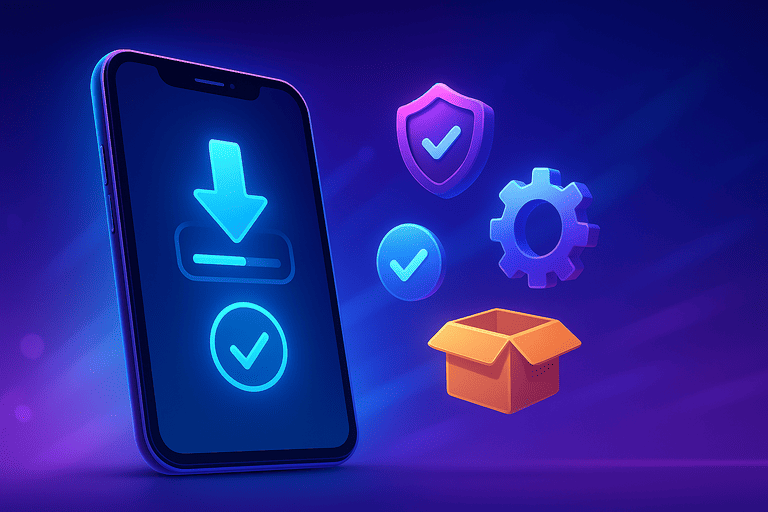
The Malina Casino App for Android is provided as an APK from the official website.
Install it directly—no external stores involved. The process takes just a couple of
minutes. Follow the steps below and watch for prompts from your browser/device (labels
vary by brand/Android version, but the flow is the same).
Step 1 – Download the APK
Open this page on your phone and start the APK download. Your browser will show progress
or confirm the file is saved. Wait until it’s complete; keep the browser open so you can
tap the notification when Android asks for confirmation.
If needed later, find the file in Downloads or via your file manager. The file
ends with .apk. Tap it to launch the installer.
Step 2 – Allow install from this source
Since Android 8.0, “unknown apps” are allowed per source (your browser or file
manager). When opening the APK, you’ll see a prompt “Allow from this source.” Tap
Allow and return to the installer. On older Android versions, the switch may be
under Settings → Security.
You only need to grant this once. You can disable it again after installation if you
wish—only the Malina installer will have used it.
Step 3 – Confirm and wait for completion
The installer shows the app name and asks for confirmation. Tap Install. This
can take a few seconds up to a minute depending on your device. Stay on the screen until
you see App installed. Don’t interrupt; keep the display awake if possible.
If you see a “protect against unknown apps” warning, choose Install anyway—you
are installing from the official site. If storage is low, free some space and repeat
step 1.
Step 4 – Open Malina Casino and sign in
Tap Open or launch the app from the new home screen icon. The first start may
take slightly longer while essentials are prepared. Sign in via email/phone and password
or create an account if you’re new. You’ll land in the lobby with slots, live tables and
sports, with the cashier and promos ready to use.
⚠️ Important
Only install from the official Malina Casino website. Third-party files may be
unsafe.
Keep “install from this source” enabled only during setup; you can disable it
afterward.
Do not interrupt installation—wait until you clearly see “App installed.”
Quick troubleshooting
APK won’t open: verify the download finished and you allowed the
correct source (browser/file manager).
Low storage: clear large photos/videos or cache, then retry.
Security warning: confirm it’s the official site and choose
Install anyway.
App won’t launch: restart your device and try again; if needed,
re-download and reinstall the APK.
The Malina Casino App is lightweight and tuned for smooth performance on most modern
Android phones. Actual load varies by device and network, but the guidelines below are a
solid baseline. If your device doesn’t fully match them, you can always play via the
mobile website—no install required and it adapts to your screen automatically.
Section
Recommended for Malina Casino App
Android version
Android 5.0 or newer (later versions offer better power/network management)
Storage
Free space: a few dozen MB for app + cache (keep ~100 MB free for updates)
Memory (RAM)
1 GB or more; with many background apps, 2 GB+ is more comfortable
Display
HD resolution or higher; adaptive layout for compact/one‑handed use
Connection
Wi‑Fi / 4G / 5G; adaptive quality for streams and live data
Permissions
Allow install from this source; notifications optional and per feature
configurable
Compatibility & tested brands
Tested on major lines including Samsung Galaxy, Google Pixel, OnePlus, Xiaomi/Redmi/Poco,
Motorola and recent Huawei models (without Google services, the app can run more
consistently via the bundled browser). On heavily customized skins (MIUI, ColorOS, EMUI,
etc.) aggressive power saving may delay notifications/background updates; excluding the
app from strict battery optimization and allowing background data usually helps.
Performance tips for smoother play
Free up storage: keep enough space; clear old downloads and heavy
cache regularly.
Battery settings: disable battery saver for long sessions; allow
background data refresh for the app.
Network stability: for live tables and sports, a stable line beats
raw speed; switch to Wi‑Fi if 4G fluctuates.
Animation/display: use compact mode for fewer animations and more
focus on controls.
If it stutters: close heavy apps; reboot if memory pressure
persists.
💡 Tip
Not receiving alerts despite enabling them in-app? Check OS permissions too:
Settings → Apps → Malina Casino → Notifications and
Battery → No restrictions. Some Android skins require both.
On iPhone and iPad, use Malina Casino via the mobile website. The responsive layout
serves the same catalog, cashier and account tools as desktop, tailored for touch. No
installs or manual updates required: open the site in Safari and play. Pages and game
assets are cached smartly to speed up your return to the lobby.
Fast access: add Malina Casino to your Home Screen
Want an app-like shortcut? Create a Home Screen icon. Malina Casino then opens in its
own window with fewer browser bars for faster entry to your lobby, favorites and cashier.
Open Malina Casino in Safari on your iPhone or iPad.
Tap the share icon (square with arrow) at the bottom or in the address bar.
Select Add to Home Screen.
Adjust the name if you like and tap Add.
You’ll now see a Home Screen icon. Launching Malina Casino from it provides a clean,
full-screen experience and quick startup.
💡 Tip
Shortcuts reopen the last-used section. Allow “keep me signed in” on your personal
device and enable Safari background refresh for a head start next time.
What you do and don’t get on iOS
Complete features: lobby, slots, live, sports, cashier, promos and
support.
Automatic updates: always the latest version—no manual update steps.
Data continuity: favorites and preferences sync to your account
across devices.
Push limits: browser push is limited; use badges/cards in your
account for subtle reminders.
App-style window: Home Screen shortcut gives a distraction-free
interface.
iOS performance & battery
The mobile site adjusts media/animation quality to your device and network. For longer
sessions, Wi‑Fi is usually more stable than mobile data. If Safari suspends tabs too
aggressively, disabling Low Power Mode helps keep live data flowing while you switch.
Common iOS scenarios
Private browsing: Safari’s private mode limits cookies/storage; log
in again and prefer a regular tab to keep your session.
Pop-up blocking: payment windows may open in a new tab; allow
pop-ups for a smooth cashier flow.
Audio/video: live streams may require one tap to enable audio; do
it once and it stays active for that session.
⚠️ Heads-up
Avoid unofficial apps pretending to be Malina Casino. On iOS, only use the mobile
website and create a Home Screen shortcut if desired.
The Malina Casino App checks for a new version at startup. Minor patches replace only
what’s needed so you can continue almost instantly. For major changes, you’ll be asked
to download the latest APK and install briefly. That way you always run the newest
performance, security and Android compatibility improvements.
How updates work day-to-day
When you open the app, a quick check compares your version to the current release. If
“Update available” appears, tap Update and follow the same steps as first
install: download APK, allow install from this source (if prompted) and confirm. Your
settings, favorites and history remain intact—they’re tied to your account.
For small fixes you’ll just notice a brief “checking for updates” indicator. Files are
refreshed in the background; jump straight back to the lobby or your last spot.
When a clean reinstall is better
Sometimes a fresh install is quicker than an update—e.g., if your device skipped many
versions, an install was interrupted, or cache got heavy after long use. Uninstall the
app, download the latest APK and install clean. Sign in again; your data and preferences
sync from your account.
Checklist for smooth updates
Stable connection: use Wi‑Fi to download the APK quickly.
Free space: keep ~100 MB available for the package + temporary cache.
Screen on: keep the display awake until you see “App installed.”
Allow this source: since Android 8.0, permission is per source
(browser/file manager). Set once and you’re done.
Optional reboot: on heavy skins (MIUI/ColorOS), a quick restart can
clear residual glitches.
💡 Tip
Not seeing an update prompt but expect a newer build? Re-download the APK from the
official page and install over your current version. No need to uninstall first—Android
updates the existing install safely.
Frequent update situations
“Install blocked”: open the prompt and select Allow from this
source, then confirm again.
“Not enough storage”: clear downloads and cache (including browser)
and retry.
APK won’t open: the download likely failed; delete it and download
again.
App hangs post-update: close recent apps, reboot your device and
reopen Malina Casino.
Broken download: remove the partial file in Downloads and
start afresh from the official page.
Updates bring more than bug fixes: faster carousels, leaner streaming, tighter haptics
and clearer cashier/account statuses. Staying current is the simplest way to get the
smoothest experience—especially if you jump between slots, live tables and sports often.
Your account unlocks everything in the Malina Casino App: full game catalog, cashier,
promos and settings. Sign-in and sign-up are streamlined and mirror the website, with
extra clarity for smaller screens.
Signing in: quick and secure
Open the app and choose Sign In. Enter your email or phone and password. On
your own device you can stay signed in; on shared devices, leave that off. For new
devices or long inactivity, a brief confirmation may be required to prevent misuse
without slowing you down.
Forgot your password? Start recovery from the same screen. You’ll receive a secure link
or code. After setting a new password, you’re good to go. Under Privacy &
Security you can see where you’re signed in and sign out everywhere at once.
Registering: guided and clear
New to Malina Casino? Tap Register. Pick your preferred method (email or phone)
and fill in the requested details. The app guides you through key fields: contact data,
basic profile info and—once you’re ready to deposit or withdraw—the details needed for
the cashier. Each step shows why it’s needed and how to edit later.
After submission, confirm via the email or SMS you receive. Activate your account and
return to the app. You’ll land in the lobby with quick links to Recently played,
Favorites and Promotions. From your profile you can adjust
notifications, preferences and language in seconds.
Verification (KYC): when and why
For certain actions, extra verification may be requested (for example, before a first
withdrawal or when using a new device). It’s a standard security step that protects your
account and keeps payments smooth. Typically, a clear photo of a valid ID is enough;
occasionally address or payment method confirmation may be required.
The app shows exactly what’s missing and checks photo legibility locally before upload.
Once verified, your status updates in profile and you continue without extra steps.
💡 Not receiving the code or confirmation email?
Confirm the address/number is correct and check your Spam/Junk folder.
Request a new code and wait a few minutes; some providers delay messages briefly.
Switch between mobile data and Wi‑Fi to bypass potential network filtering.
Use one channel at a time (email or SMS) to avoid duplicates.
After signing in or registering, personalize your experience: reorder categories, switch
to compact layout and manage favorites. These preferences sync to your profile and
follow you on any device.
In the Malina Casino App you’ll find the same promotions as on the website, neatly
grouped in your account. New players see the welcome package as sequential steps to
activate one by one; returning players get weekly offers and personalized deals. Each
promo shows a concise summary—validity window, contribution per category and clear
conditions—before activation, so expectations are obvious.
Activation happens in two parts: first set the promo to ready from the promo
list, then confirm via the cashier or the relevant game type. Progress updates live with
a counter, percentage bar and clear end time. Once completed, the card moves to
Completed with a compact outcome and date recap.
The app reduces mistakes. If a promo caps the maximum stake per round, you’ll get a
gentle warning when you approach the limit. If certain categories are excluded or weigh
less, badges appear on the relevant tiles. No need to memorize participation rules—the
interface marks it and suggests alternatives where helpful.
For weekly deals (e.g., reloads or extra spins on a set day) you can set a reminder.
Keep it silent if you prefer; you’ll see a badge on Promotions and in the
cashier. If you’ve missed the window, the card will auto-show the next date.
VIP perks and loyalty points are visible in-app. Track your current level, see what the
next step unlocks and how points convert. Redeem with one tap; the history logs what you
claimed and when—making it easy to choose between cashing out now or saving up.
💡 Get more from promos
Activate before you deposit/play: ensure your wagering counts
right away.
Check contribution rates: pick categories that count 100% to
finish faster.
Mind the deadline: near expiry, the app flags the promo—prioritize
in a tap.
Respect max stake rules: stay within limits to keep eligibility;
the app gives subtle hints.
⚠️ Terms apply
Every promotion has its own rules (validity, wagering, excluded categories, possible
limits). Read the in-app summary first and activate only when clear. You can review
any promo without activating it.
Manage deposits and withdrawals in the cashier. The flow is simple: pick
Deposit or Withdraw, choose a method, and fill in the required
details. Before confirmation, you’ll see a summary (method, destination account/wallet,
amount, any limits or extra steps). One glance to confirm everything is correct.
Deposits: get started quickly
Select your payment method, enter the amount and follow your bank, card or wallet’s
brief instructions. Real-time methods confirm almost instantly; manual transfers can
take longer. Your updated balance appears immediately after completion. Each transaction
shows in history with date, reference and status for full transparency.
Withdrawals: clear and predictable
For withdrawals, choose an available method and confirm the destination (account or
wallet)—often matching a previously used deposit route where required. The app displays
an expected timeline and any additional checks. After submitting, the status is
Pending until it becomes Completed or requests a missing detail.
Limits & processing
Minimums and maximums depend on the method. Each option shows a short line with amounts
and any period caps. Processing time is indicative and can vary due to bank hours,
network load or extra checks. The latest status appears in your history; changes trigger
a subtle in-app alert.
💡 Smooth payment tips
Name match: ensure your account name matches your profile to
avoid payout reviews.
Return via same route: where required, withdrawals go back to a
method used for deposits.
References matter: for manual bank transfers, use the exact
reference shown in the cashier.
Stable connection: confirm payments on Wi‑Fi if mobile data is
flaky to prevent timeouts.
Common situations
Payment failed: check if your bank requires extra approval
(app/SMS). Restart the flow and complete within the time window.
Avoid double taps: press Confirm once; the app blocks
duplicates and shows live status.
Withdrawal under review: if verification is needed, your profile
shows exactly what to provide.
Unclear history: open the transaction card for details (reference,
method, timeline). Add a personal note if helpful.
All available methods, per-transaction limits and any extra conditions are summarized in
the cashier. Choose what fits your style: instant for smaller amounts or classic bank
routes for larger moves. The app keeps you updated with clear statuses and summaries
without unnecessary pop-ups.
The Malina Casino mobile catalog mirrors desktop but is tailored for small screens and
fast browsing. Search by title, provider, theme or feature, and apply sticky filters
while you scroll. Each tile shows just enough to decide at a glance: provider, feature
badges and—where relevant—a brief mechanic note. Favorites and
Recently played sit on top so you can jump back in immediately.
Slots: categories & features at a glance
The Slots section groups classics, megaways, jackpots and themes. Badges call
out buy bonus, multipliers, wilds and re-spins. The detail view outlines paylines and
bonus rounds, plus an indicative stake range—so you can judge fit for this session
without opening the full game. Long-press to compare several titles and tap
Compare to see concise cards side by side.
Live casino: variants and frictionless switching
In Live, pick from blackjack, roulette and game shows. Table cards list stake
ranges and key rules; stream quality adapts automatically to your line. Leave a table
with a swipe and join the next instantly—recent choices and favorites stick to the top.
If a table is full, you’ll see when seats reopen and suggested alternatives with
matching rules.
Jackpots & specials: clearly labeled
Jackpot games appear in their own category with progressive or fixed
badges. Info cards explain prize structure and qualifying rounds. “Specials” (e.g.,
titles with extra multipliers or unique bonuses) carry a corner label, making them easy
to spot while scrolling. If a game has extra conditions, you’ll see a quick hint before
you start—no guesswork.
Table games & game shows: compact and informative
Digital table games display the essentials upfront: stake steps, any side bets and a
short rules intro. Game shows include a panel explaining round structure and expected
pace/interaction. Enable compact mode to tone down animations and bring
controls closer to your thumb—ideal on the move.
Sports: live odds and quick markets
The sports section offers live and pre-match markets with competition filters and a row
of quick picks (popular bets, handicaps, totals). Odds auto-refresh; small arrows flag
changes before you confirm. The bet slip stays docked so you can add/remove markets
without losing your selection. Major tournaments get a compact schedule with live scores
and a shortcut to specials.
Filter, sort and compare
Filters by category: theme, provider, features, volatility, stake
range.
Sorting: popular, new, A–Z, recently played, your ranking.
Comparison cards: long-press a title → select multiple → view key
info side by side.
Favorites: tap the heart on any tile; favorites stick to the top of
your lobby.
💡 Tip
Want to revisit a cluster of titles you enjoy? Combine a fixed filter set (e.g.,
provider + feature) with Sort by recently played. The app remembers the
combo and moves recently opened titles up.
Whether you come via search, category or favorites—the app keeps the layout calm and
predictable. Controls stay in familiar places, and info cards follow the same structure
throughout. Fewer taps, less waiting, more play.
Both the Malina Casino App and the mobile site deliver the same catalog, cashier and
account tools. The difference is feel and convenience: the app is quickest and most
stable for heavy use, while the mobile site is perfect if you prefer no install or
switch devices often. Use this comparison to choose by scenario.
Feature
Malina Casino App (Android)
Mobile site (Android & iOS)
Installation
One-time APK download and confirmation; launch via icon.
No install; open in browser or add a shortcut.
Speed & stability
Very fast; UI and assets reused locally.
Good; depends on browser and network.
Notifications
Fine-grained per feature; silent badges available.
More limited; mainly badges/cards in your account.
One-handed design, large tap targets, compact mode.
Touch-friendly; follows browser conventions.
Offline assets
Key UI available locally for faster startup.
Limited to browser cache; depends on settings.
Battery
Optimized for long sessions and streaming.
Neutral; depends on chosen browser.
Best use case
Daily use, longer sessions, frequent switching.
Quick play, shared/new devices, iOS users.
Bottom line: play often and want minimal friction? The app feels most direct and
responsive. Use multiple devices or prefer zero installs? The mobile site is the simple
choice—especially with a Home Screen shortcut for an app-like experience without updates.
Ran into a glitch installing, updating or playing? Use this quick guide. Most issues fix
in a few steps: confirm the APK source, grant the right permission, ensure enough
storage and restart if needed. Below are rapid actions per scenario.
Installation issues (APK)
APK won’t open: confirm the download fully completed. Delete the
partial file in Downloads and re-download from the official site.
“Install blocked / unknown source”: since Android 8.0, permission
is per source (browser/file manager). Open the prompt, tap Allow from this
source and return to the installer.
“Invalid package / parse error”: the file is corrupt or incomplete.
Delete it and download again over a stable connection (preferably Wi‑Fi).
Not enough storage: clear cache/photos/videos to keep ~100 MB free,
then retry. Move large apps/files if necessary.
Play Protect warning: confirm you’re installing from the official
Malina Casino page and choose Install anyway. Do not disable Play Protect
for other apps.
Update issues
No update prompt: download the newest APK from this page and
install over the current version—your data remains.
Install stuck: keep the screen on and wait 1–2 minutes. If there’s
no progress, cancel, reboot and reinstall.
Crashes after update: close recent apps and reboot. If it persists,
perform a clean reinstall (download the APK again).
Performance & network
Laggy display: close heavy background apps, enable
compact mode, and prefer Wi‑Fi if 4G is unstable.
Stream buffering: switch networks (4G ⇄ Wi‑Fi), wait 10–15 seconds
for adaptive quality to settle, or reopen the table.
Odds not refreshing: pull down to refresh; allow background
data for the app.
High data/battery use: use Wi‑Fi for long sessions, reduce
animations with compact mode, and close unused tabs/streams.
Device heating: dim brightness, pause streams and let the phone
cool; avoid multiple heavy streams at once.
Notifications
No push alerts: enable notifications in the app and OS:
Settings → Apps → Malina Casino → Notifications. On MIUI/ColorOS/EMUI also
set Battery → No restrictions.
Badges only: choose silent notifications in-app; you’ll
see badges/cards without pop-ups, sounds or vibration.
Payments (cashier)
Deposit failed: confirm 3‑D Secure in your bank app/SMS. Restart
the flow and finish within the time limit.
Withdrawal “Pending”: check if verification is requested
(identity/address/payment method) and submit via your profile.
Unsure about status: open the transaction card in history for
reference, method and timeline. Avoid repeating payments without checking status.
Access & account
No email/SMS: check spam/junk, wait a few minutes, request a new
code and try switching networks (Wi‑Fi ⇄ 4G).
New device asks to confirm: normal behavior; confirm once. If you
see unknown sessions, sign out everywhere under Privacy & Security.
Forgot password: start reset from the sign‑in screen; continue
right after setting a new one.
💡 Fast recovery routine
1) Check connection (prefer Wi‑Fi) → 2) Free storage & close background apps →
3) Reboot device → 4) Re‑download APK from official site → 5) Install over current
app → 6) Sign in and review notification/battery settings.
⚠️ When to contact support
If a payment stalls, verification won’t finalize, or the app crashes repeatedly
after a clean install, contact support. Include: timestamp, device/Android version,
brief step description and (for payments) the transaction reference. This speeds up
resolution.
The Malina Casino App follows a “clarity first” approach: before you confirm anything,
you’ll see what happens and which data or permissions are needed. Core features (play,
navigation, account) work without extra device access. Only when using a specific
feature—like notifications or document upload for verification—does the app request
permission and explain why. You can deny or revoke later; the interface adapts so you
won’t hit broken flows.
Which permissions—when?
Notifications (optional): for silent badges or alerts about promos,
balance changes and live events. If disabled, updates remain in your account without
pop-ups.
Files/Camera (upload only): used when taking or selecting documents
for verification (camera or gallery). Photos are checked locally for readability
before sending.
Network access: required to load the catalog, odds and account
data, and to process payments securely.
Data handling & storage
Temporary files (cache) speed up loads and are cleaned periodically. Preferences like
layout or favorites link to your account and sync across devices; uninstalling the app
won’t erase them for your next install. You’ll find transaction records and verification
status in your profile—showing dates, results and any clear next steps. We use encrypted
connections; sensitive actions always present a summary before you confirm.
Sessions & device security
In Privacy & Security you can see all devices signed in and close them with a
tap. On shared devices, disable keep me signed in and consider compact mode
(fewer account details on screen). For a new or unrecognized device, a short extra
confirmation may be requested—not to slow you down, but to prevent misuse.
Manage or revoke permissions
You can change permissions anytime via your OS: Settings → Apps → Malina Casino →
Permissions. Toggle notifications, camera or storage as you prefer; features that
need access will show a clear prompt with a direct shortcut to grant it—no hunting
through menus.
💡 Practical tip
Want a distraction-free session? Leave push off and choose silent badges
in-app. You’ll only see subtle indicators in your profile and promo cards—no sound,
no pop-ups.
Only download from this official page on malinacasinox.com. You’ll
get the latest, company-signed APK with no middlemen. Avoid “mirror”
sites or third‑party file hosts to reduce malware risk.
There’s no native iOS app yet. Use the web version: open the site
in Safari and choose Add to Home Screen for a fast PWA-like
experience. Your account, bonuses and payment options work the same.
Download the newest APK on this page and install it over your
current version. Your data and balance stay intact. If Android
prompts you, temporarily allow installs from unknown sources.
Yes. Bonuses, promotions and tournaments match the web version.
Find them under Promotions; terms (like wagering)
remain the same.
Supported options include iDEAL, Bancontact, Visa/Mastercard,
Apple Pay/Google Pay (via supported providers), e‑wallets (e.g.,
Skrill/Neteller) and prepaid like Paysafecard. Availability varies
by country and account status.
Only what’s necessary: storage (for install/update), notifications
(optional), and camera/gallery solely for KYC document uploads.
Location and microphone aren’t required to use the app.
Uninstall via Settings → Apps on your device. To delete
your account and data, open Account in your
profile and choose Delete account, or contact
support. Deletion is handled under our privacy policy.
No. This site is the official source and isn’t blocked; download
directly here without detours. Mirrors aren’t needed and are not
recommended.
Android 8.0 or higher, at least 100 MB free storage, and a stable
internet connection. For the web app on iOS/Android, a modern
browser (Safari/Chrome) with cookies enabled is sufficient.